Grow+ Mini POS
A till in your pocket for pop-ups, bazaars, markets and events. Take cash and DuitNow QR, send e-receipts, and see what you sold. Free.
No account yet? Sign up free

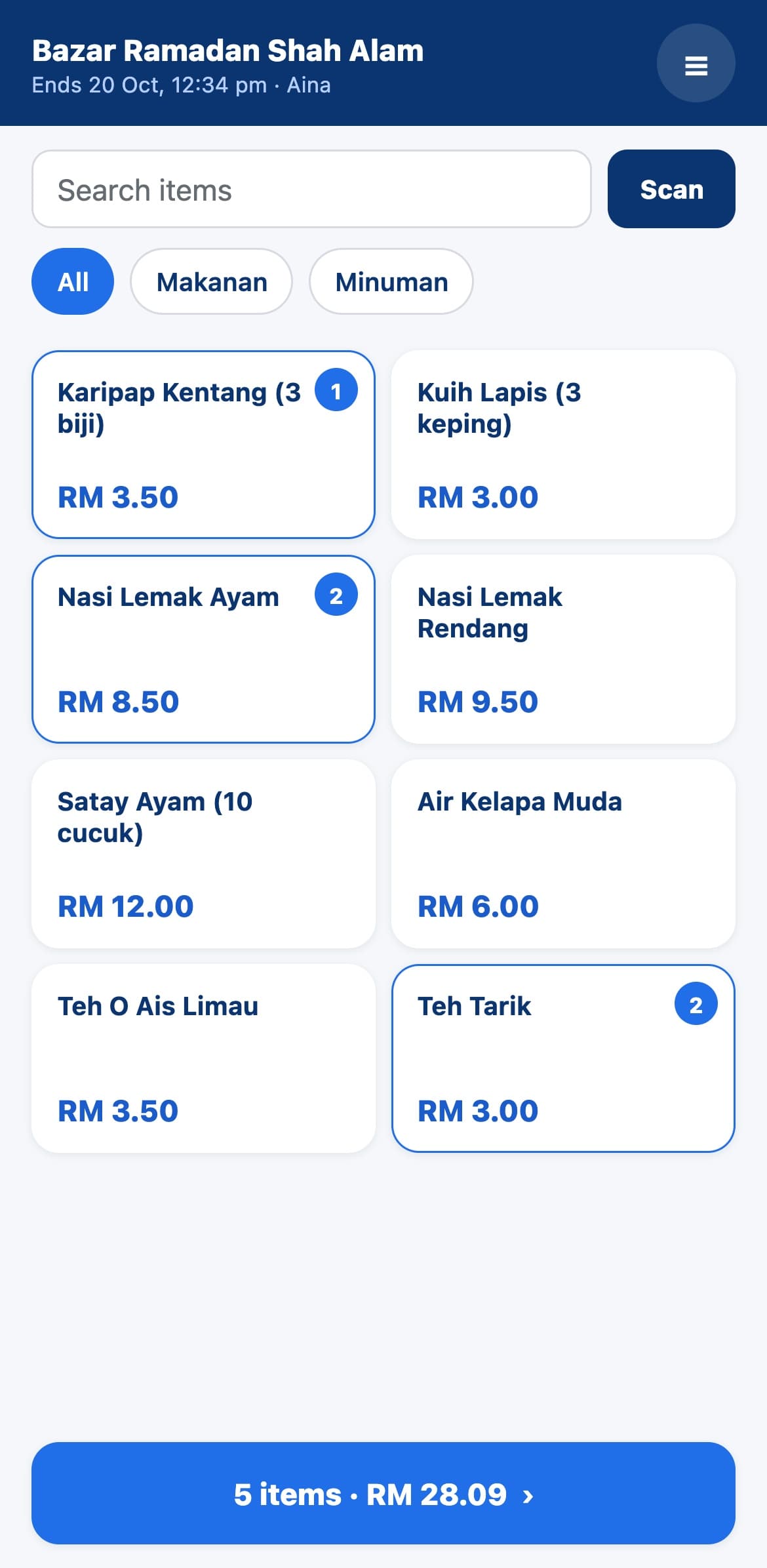
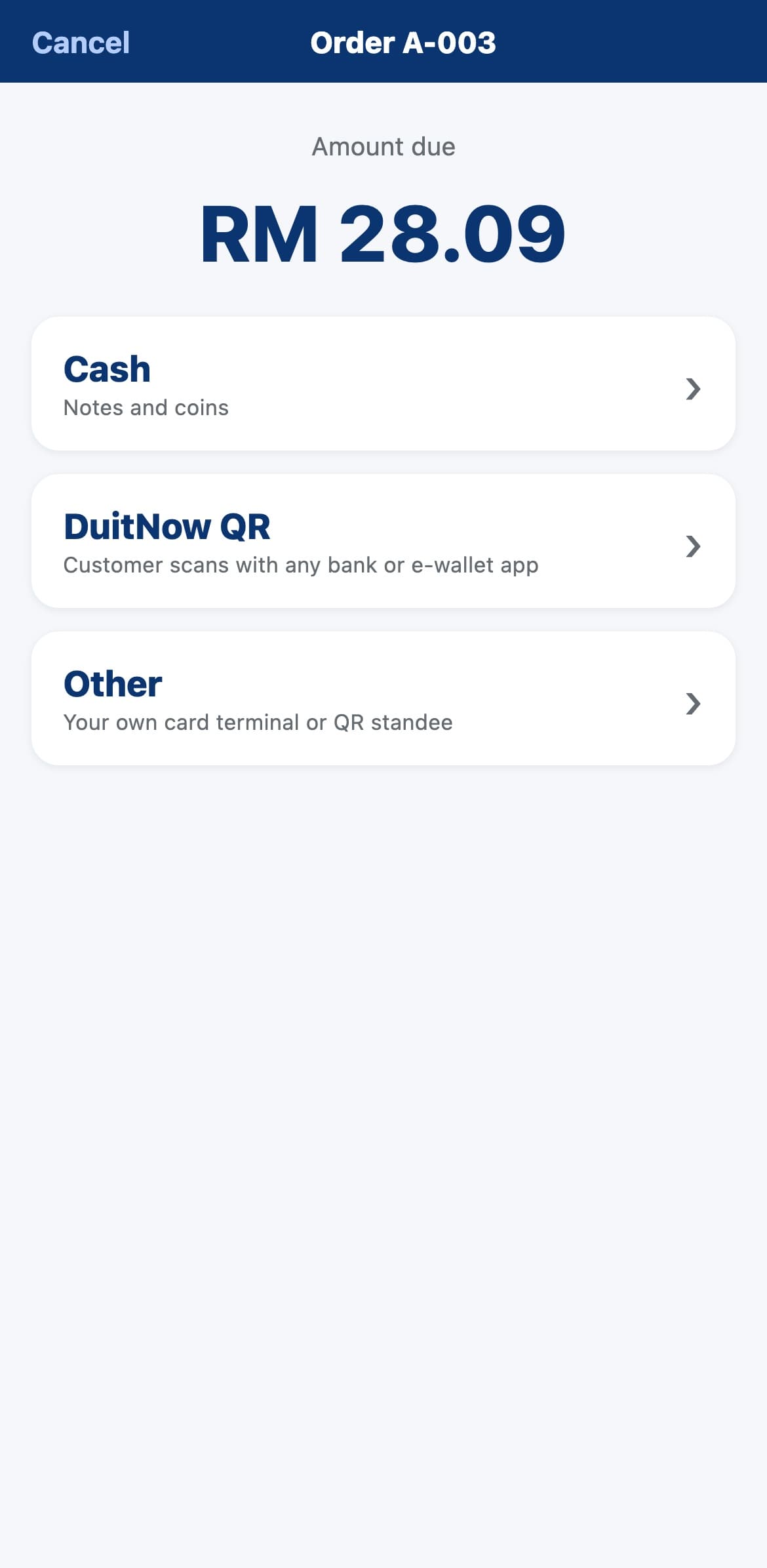
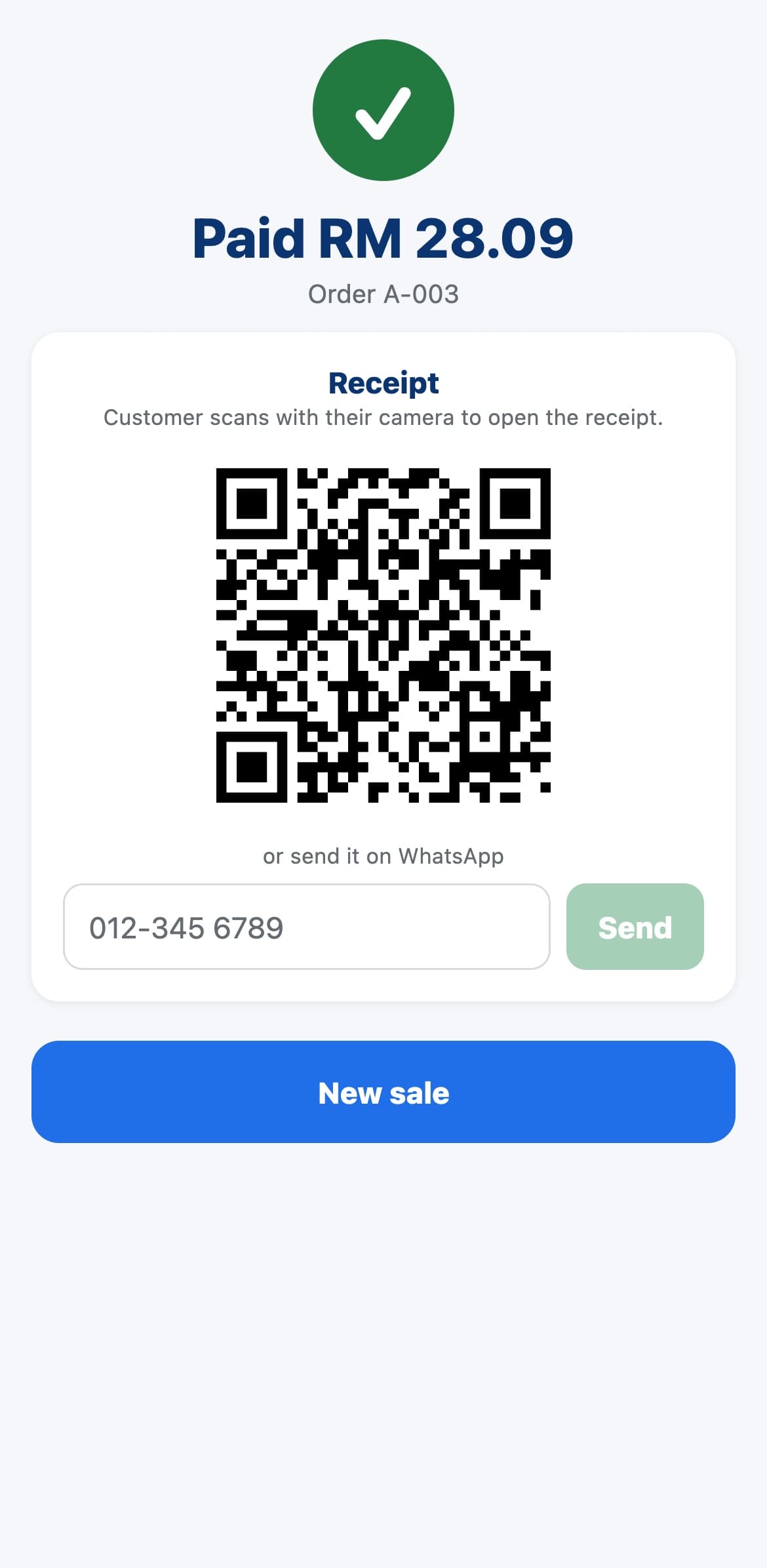
Real screens from Grow+ Mini POS.

Big buttons, quantities on each item, the total always at the bottom.

Cash, DuitNow QR, or your own card terminal or QR standee.

They scan the QR for an e-receipt, or you send it on WhatsApp.
Tap items, see the total, charge. No tablet, no cash register, nothing to plug in.
Enter what the customer hands you and Mini POS shows the change. Count your float at the start and end of the day.
Show a DuitNow QR for the exact amount. It completes by itself when the customer pays. Or use your own QR standee or card terminal.
The customer scans a QR to get the receipt on their phone, or you send it to them on WhatsApp.
Each bazaar or pop-up is its own event with its own menu, stock and sales report. Sales stop when the event ends.
Staff use their own PIN, so you know who sold what. Only managers see the day's takings.
Sign up on Grow+ Cloud in two minutes. The Free plan includes Mini POS.
In Merchant Admin, add what you sell, then create an event with its dates.
Install Grow+ Mini POS, then enter the 6-digit code from Merchant Admin.
Sign in with your PIN and take the first order.
Already on Grow+? Open Merchant Admin, go to Devices and add a Mini POS.
Yes. The Free plan includes Mini POS with 1 branch, 30 products and 2 staff logins, with no monthly fee. Upgrade only if you want the counter POS, kiosk, website or more.
iPhone and Android phones. You need a mobile data or Wi-Fi connection while selling.
To show a DuitNow QR for the exact amount, connect your own payment account in Merchant Admin. Without one, take cash or use your own QR standee or card terminal and mark the sale as paid.
Not yet. Customers get an e-receipt by scanning a QR or on WhatsApp. Bluetooth printers are on our list.