Grow+

Counter POS

A counter POS that keeps up with the lunch rush

Grow+ POS runs on the iPad or Android tablet you already have. Ring up a sale in a few taps, take any way your customer wants to pay, and know who sold what on every shift.

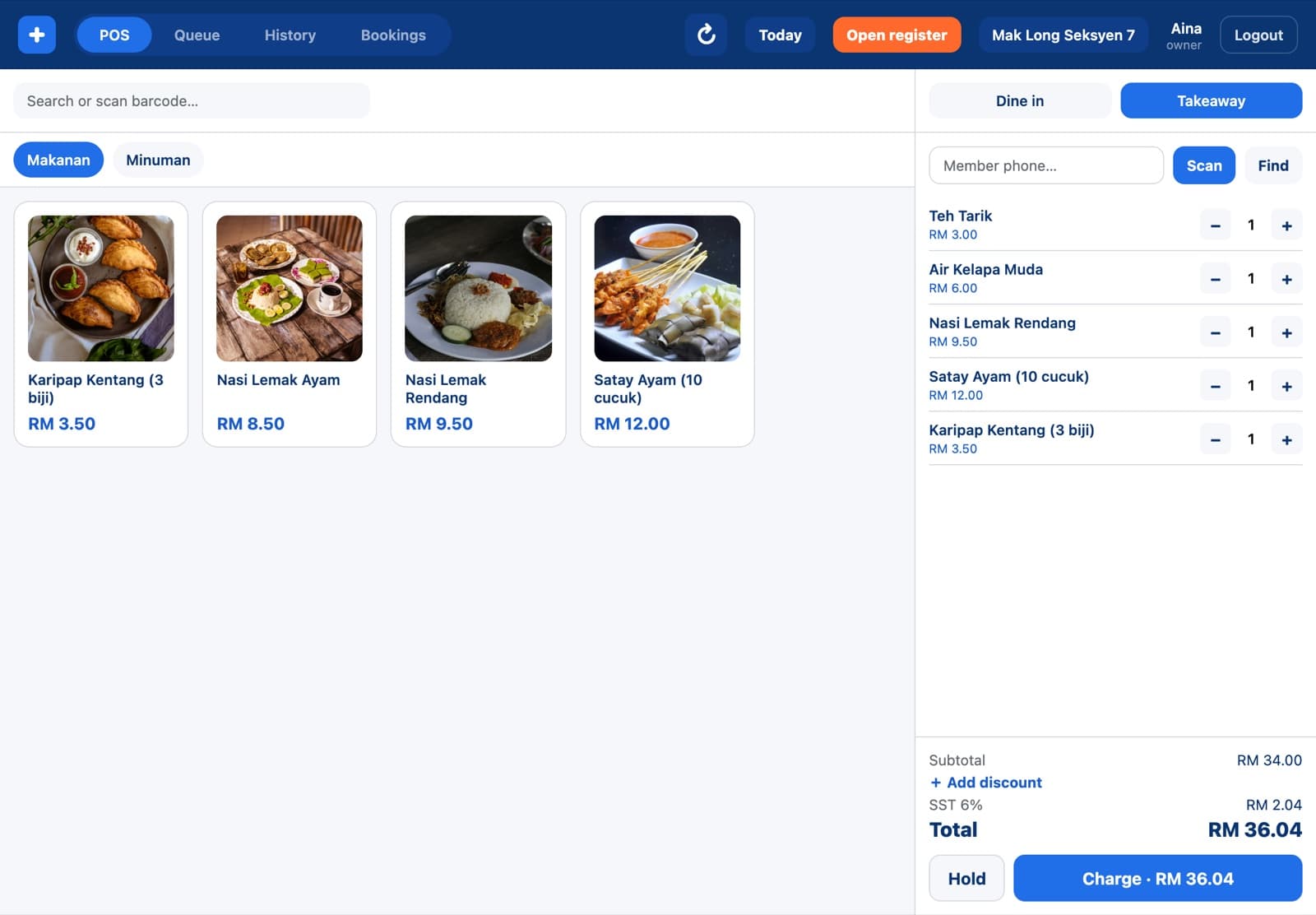
Grow+ POS with nasi lemak, satay and karipap in the sale and the total ready to charge

Included in Starter, Growth and Pro. Compare plans

Ring it up, take payment, next customer

Items sit in big tiles by category, with photos. Tap to add, tap again for two. The total, SST and the Charge button stay in the same place, so new staff learn it in one shift.

  • Cash, card, DuitNow QR and e-wallets on one payment screen
  • Dine in or takeaway on every order
  • Hold a bill and open it again when the customer is ready
  • Search or scan a barcode to find an item
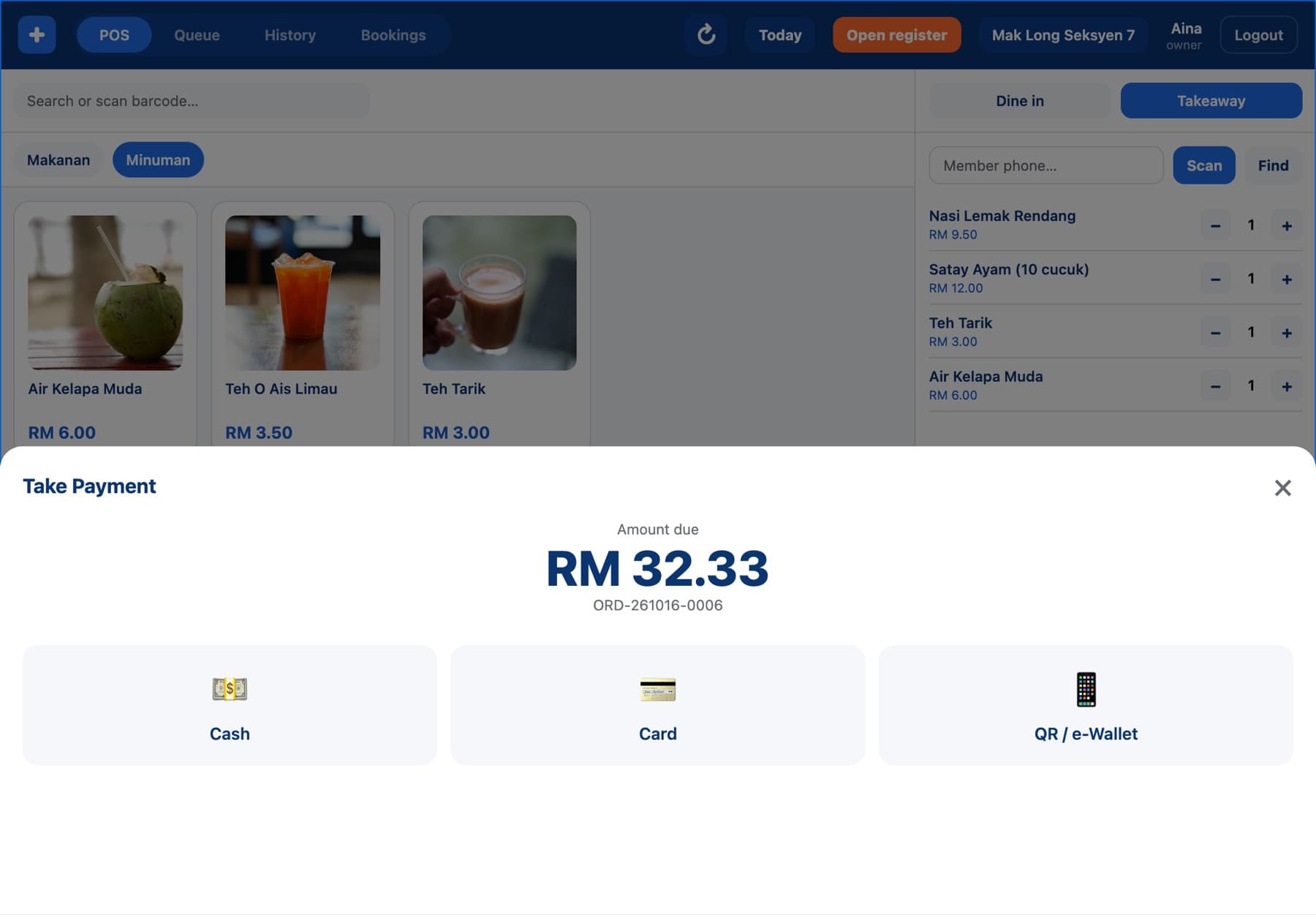
Grow+ POS payment screen: RM 32.33 by cash, card or QR and e-wallet

Every open order on one board

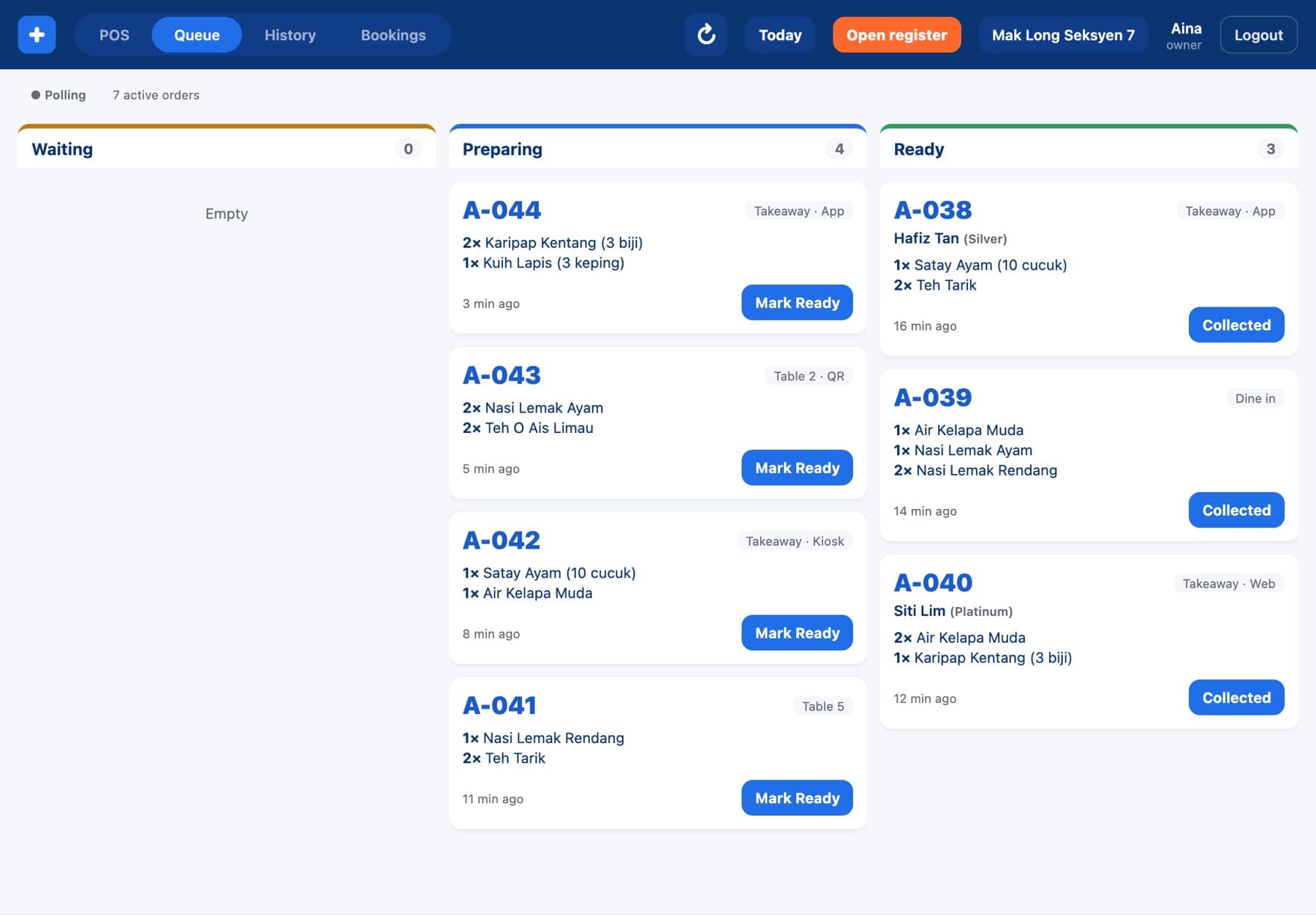
The Queue tab shows what's waiting, being prepared and ready to collect, from the counter, the kiosk, QR tables, your app and your website. Mark an order ready or collected from the till.

  • Orders from all five channels, in the order they were paid
  • Member name and tier on app and website orders
  • Table number on dine-in and QR orders
Grow+ POS queue with orders preparing and ready for collection

Find any order. Refund it with a manager's PIN.

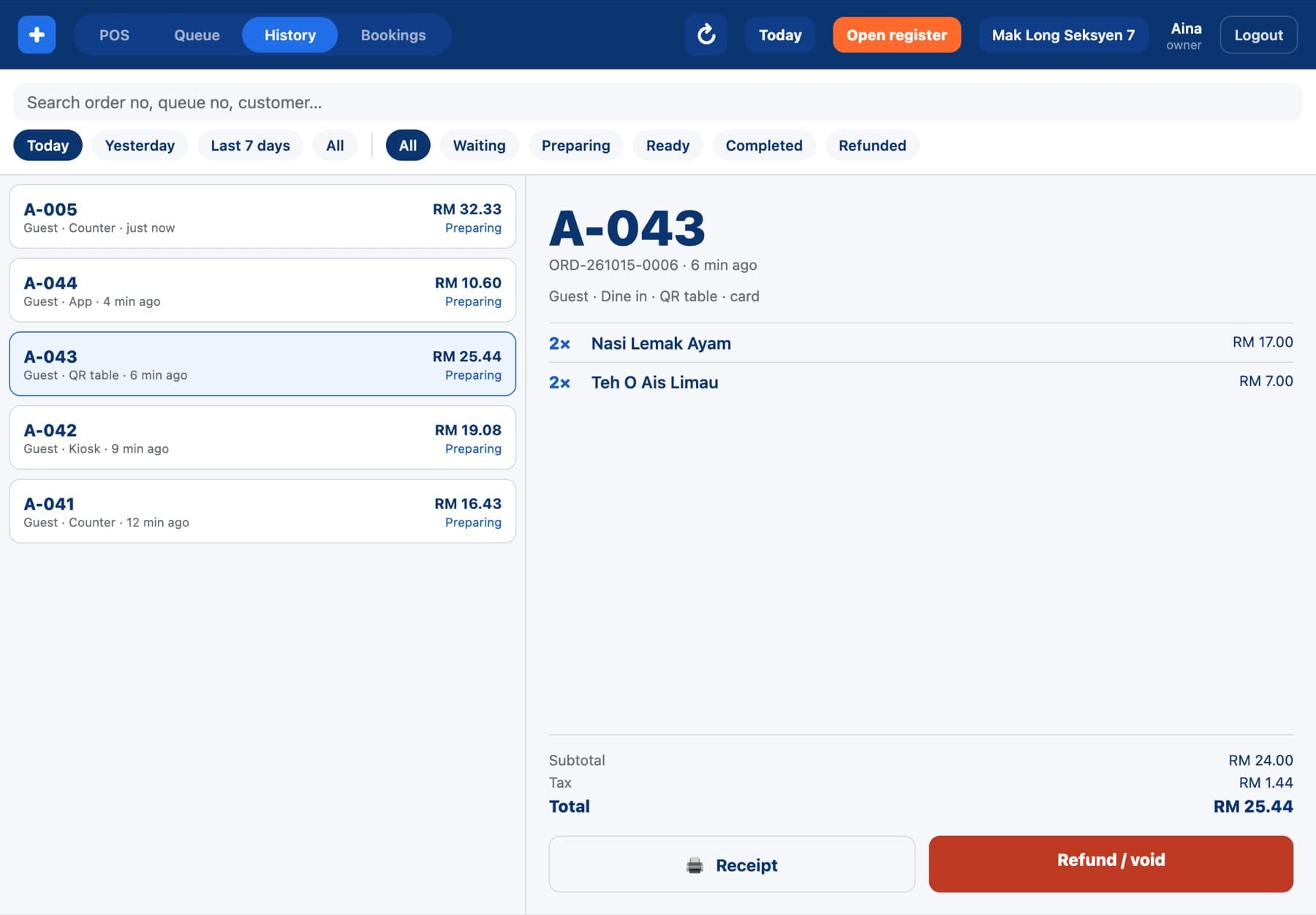
History lists every order for today, yesterday or the last 7 days, filtered by status. Open one to see the items, the channel and how it was paid, then open the receipt or refund it.

  • A cashier's refund needs a manager's PIN or badge
  • Every approval is logged with who asked and who approved
  • Search by order number, queue number or customer
Grow+ POS order history with a QR table order open

Cash that adds up at the end of the day

Open the register with your float. At closing, count the drawer and Grow+ shows what it expected from cash sales, so a short or over is spotted the same night, not at month end.

  • Opening float, expected cash and counted cash per shift
  • Activity log of discounts, refunds and approvals by staff
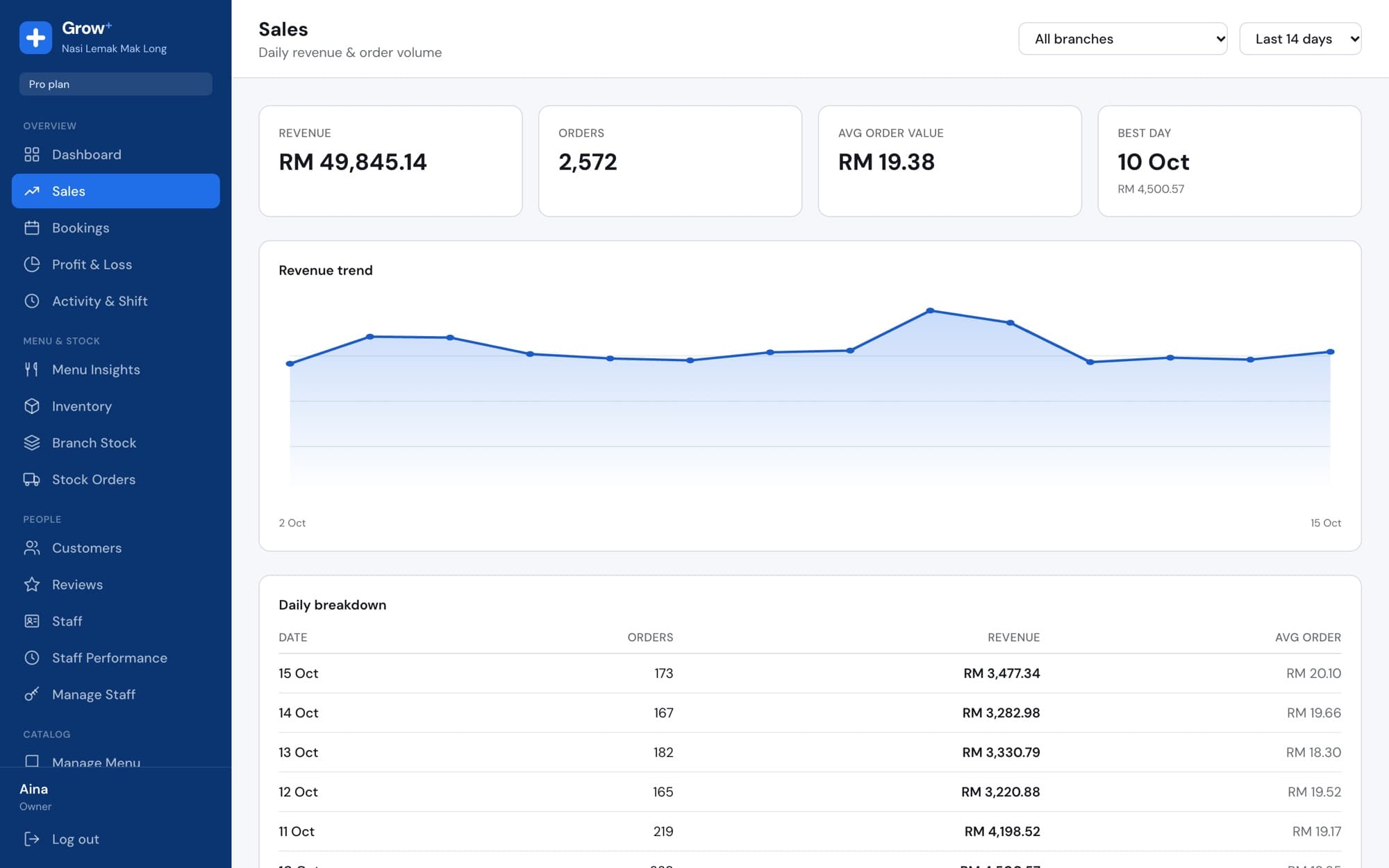
  • Day's net and gross sales per branch in Merchant Admin
cloud.growplus.my/sales
Merchant Admin sales report with revenue trend and daily breakdown

Set up in an afternoon

  1. 1

    Add your menu

    In Merchant Admin, add categories, items, photos, prices and options.

  2. 2

    Pair the tablet

    Install Grow+ POS, then type the 6-digit code from Devices.

  3. 3

    Sign in with a PIN

    Each staff member gets their own PIN. Start selling.

Questions about counter POS

Something else? Ask us.

Which tablets does it run on?

iPads and Android tablets. A 10-inch screen or bigger is most comfortable at the counter.

Can I take card payments?

Yes. Use your existing card terminal and record the sale as card, or let customers pay by DuitNow QR shown for the exact amount when you connect your own payment account.

How do staff sign in?

Each staff member has their own PIN, so every sale, discount and refund carries their name. Managers approve refunds and voids with their PIN.

Does it handle SST?

Yes. SST at 6% is added to every sale and shown on the receipt and in your reports.

Can I use it at more than one outlet?

Yes. Each branch has its own tablets, prices, stock and reports. Growth covers 3 branches and Pro covers 10.

Works with the rest of Grow+

Same menu, same stock, same members, across every screen.

Try counter POS free for 14 days

Every new business gets 14 days of Growth. No card needed.