Grow+

Kitchen display

Tickets on a screen, not on paper

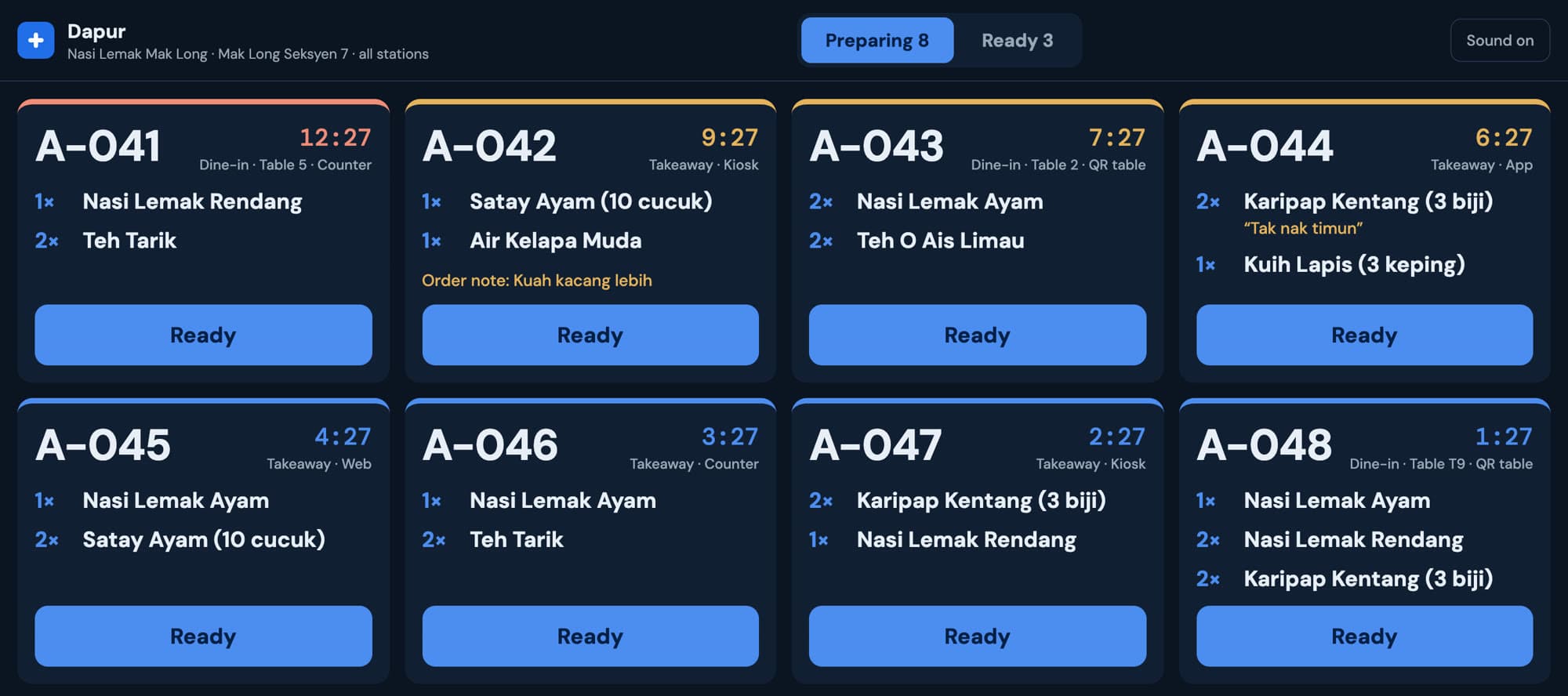
Every paid order lands on the kitchen screen the moment it's paid, from every channel, with the table number and the customer's notes. Tap Ready and the number shows on the board out front.

Grow+ kitchen display with four orders being prepared and timers

Included in Starter, Growth and Pro. Compare plans

The kitchen sees what the customer asked for

Each ticket shows the queue number, dine in or takeaway, the table, where it came from and how long it has waited. Order notes and item notes like “tak nak timun” are in bold, not lost on a docket.

  • Tickets in the order they were paid
  • Split by station, so drinks and food go to their own screens
  • Sound alert when a new order arrives
Kitchen tickets with order notes and table numbers

An order-ready board for the dining room

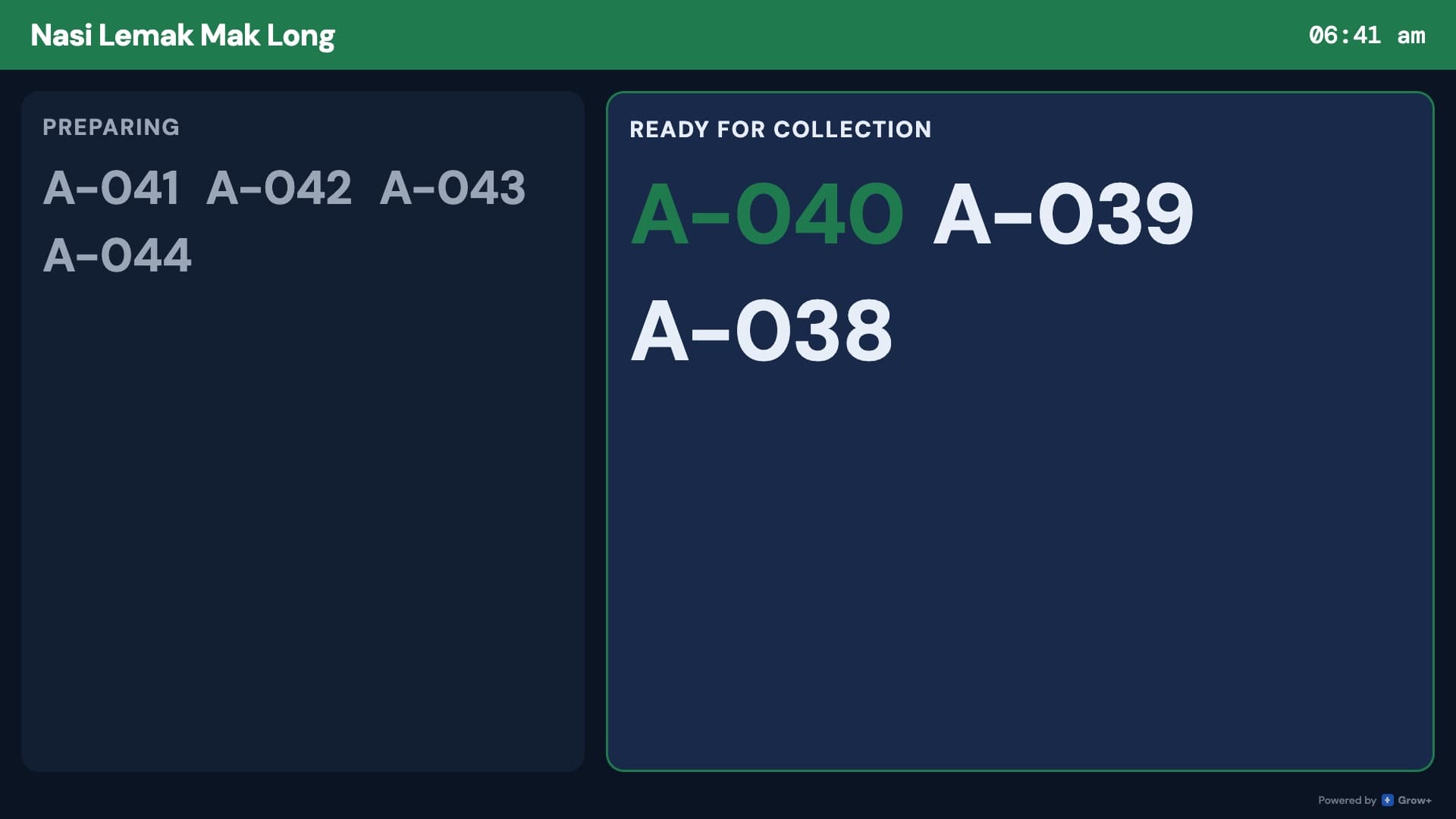
Hang a TV where customers wait. It shows numbers being prepared and numbers ready to collect, with the newest ready number highlighted and called out.

  • Runs on a tablet or an Android TV box on any screen
  • In your brand colour, with your shop name
  • Updates by itself as the kitchen marks orders ready
Order-ready board showing A-040, A-039 and A-038 ready for collection

Know how fast the kitchen really is

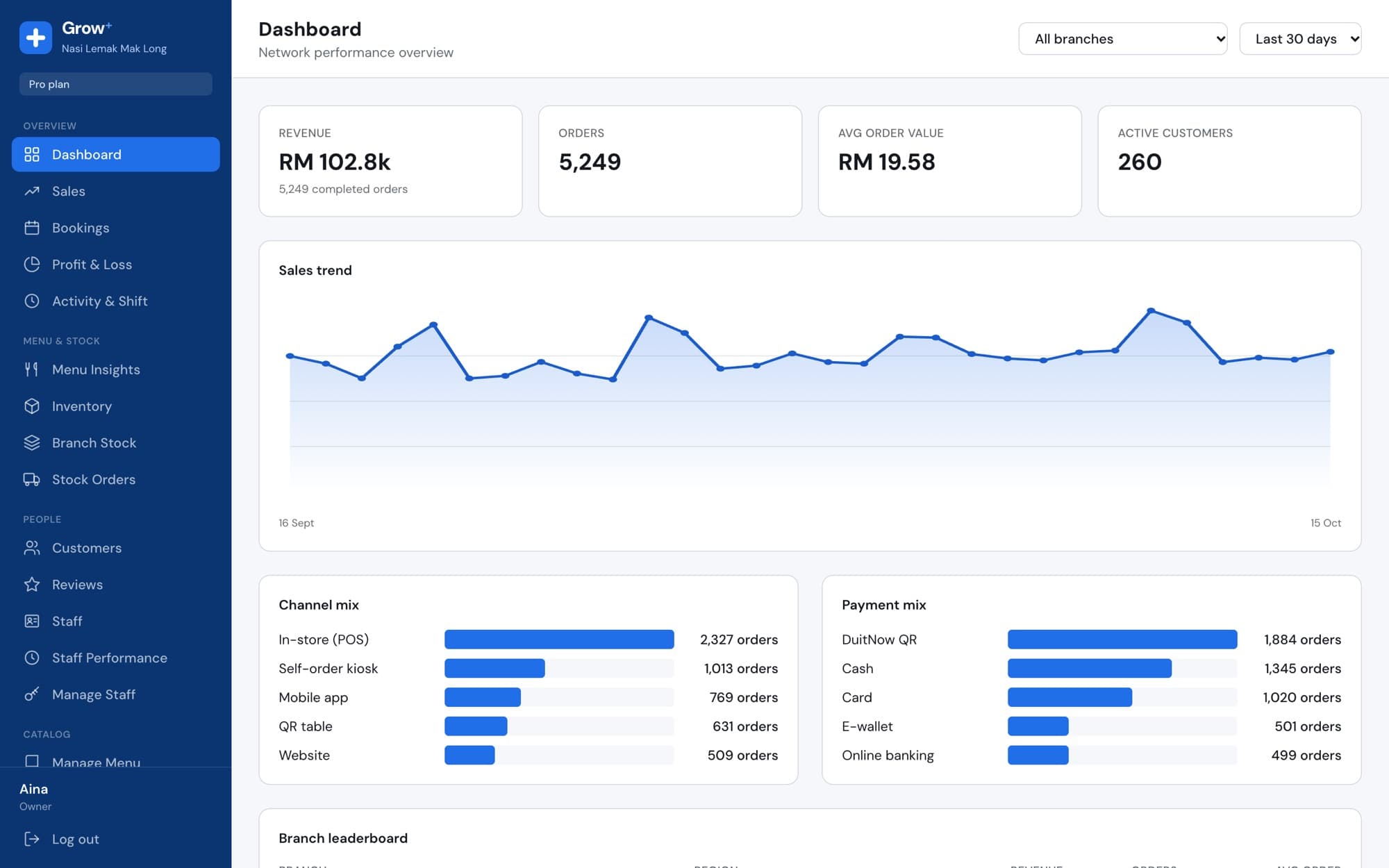
Merchant Admin tracks how long orders take from payment to ready to collected, by branch, so you can see which hours need another pair of hands.

  • Average prep time against your target
  • Orders that went over the target
  • Average handover time from ready to collected
cloud.growplus.my/dashboard
Merchant Admin dashboard with sales trend, channel mix and payment mix

Set up in an afternoon

  1. 1

    Mount a screen

    Any tablet or screen in the kitchen. Add a TV out front for the board.

  2. 2

    Pair them

    Add a kitchen display and an order board in Devices, then type the codes.

  3. 3

    Set stations

    Tag items as food or drinks if each station has its own screen.

Questions about kitchen display

Something else? Ask us.

Do I still need a docket printer?

No. Orders go straight to the kitchen screen. Many shops keep a printer at the counter for customer receipts only.

Can drinks and food go to different screens?

Yes. Give each item a station and pair one kitchen display per station, or show all stations on one screen.

What does the board show customers?

Queue numbers being prepared and numbers ready for collection. No names or order details.

Is the order board included?

Yes, on Starter, Growth and Pro, alongside the kitchen display.

Works with the rest of Grow+

Same menu, same stock, same members, across every screen.

Try kitchen display free for 14 days

Every new business gets 14 days of Growth. No card needed.